Daylight Saving Time in the US
Daylight saving time (often called DST) is the seasonal clock change that makes evenings stay lighter by shifting clocks forward by one hour for part of the year. In practice, it means your wall clock might “jump” and your normal schedule can feel off for a day or two.
The biggest DST mistakes happen when people assume every place follows the same rule. In the US, most states observe DST, but some do not, and the exact shift depends on your time zone.
What actually changes
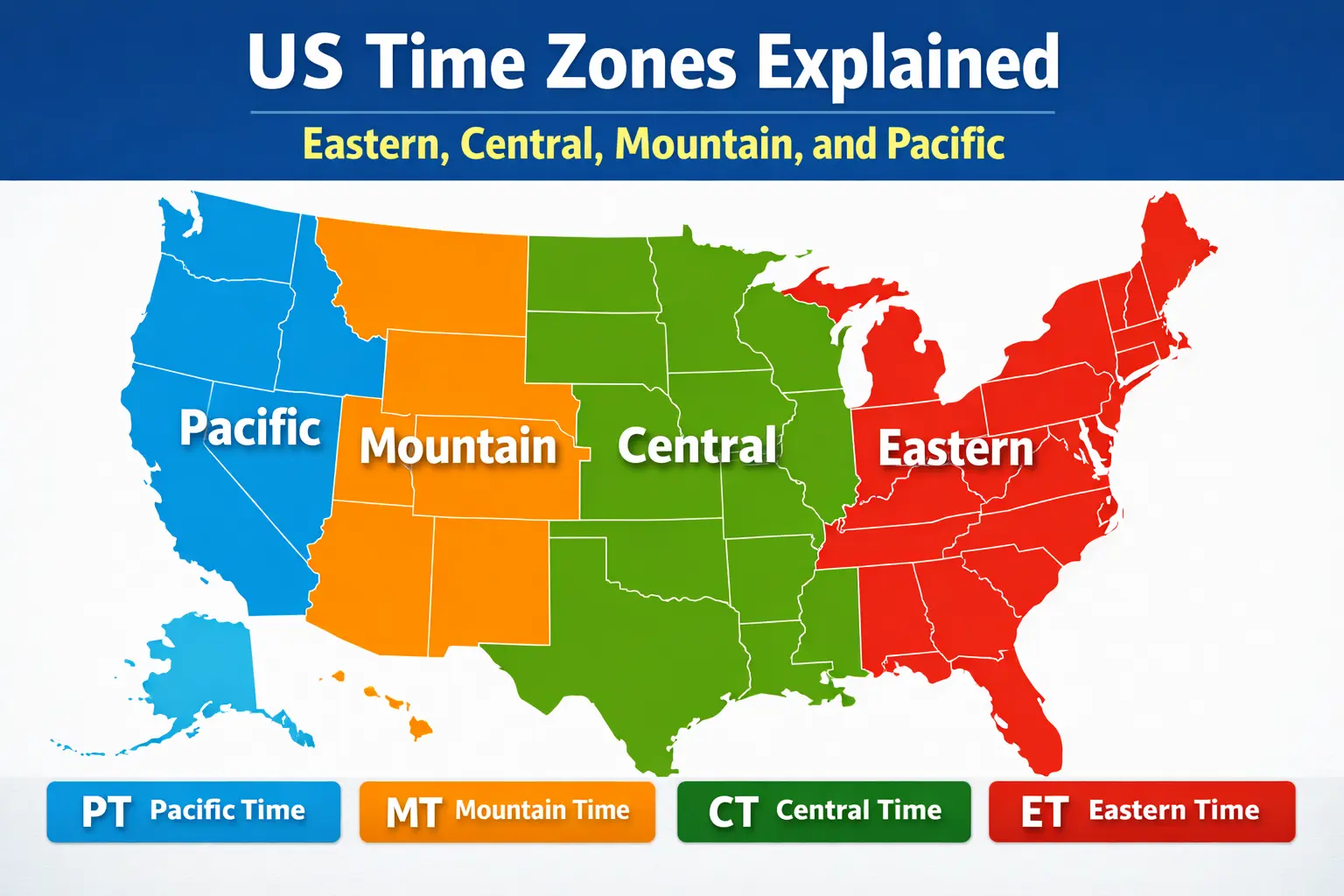
DST does not change the time zone name (your state is still in Eastern, Central, Mountain, etc.). It changes the offset from UTC for a few months. If you only track time using a simple “UTC-5” style offset, you can easily be wrong when DST is active.
When DST starts and ends
On the DST start day, clocks move forward by one hour in the early morning, and one local hour is effectively skipped. On the DST end day, clocks move back by one hour, and one local hour repeats.
If you are scheduling a call, the safest approach is to schedule using a clear local time and the correct time zone name (for example, “10:00 AM America/New_York”). Tools that use real time zones handle the shift automatically.
Places that may not follow DST
Some locations do not observe daylight saving time. The most common examples discussed in the US are:
- Arizona (most of the state)
- Hawaii
There can also be smaller exceptions within a state depending on local rules. Because of these edge cases, it is safer to check a specific state or city rather than guessing.
How to avoid DST confusion
- Use time zone names, not only offsets. “America/Los_Angeles” stays accurate throughout the year.
- Double-check the week of the change. That week is when most mistakes happen.
- Prefer a live clock when coordinating. A live clock reduces “did we already switch?” confusion.
- Add a time conversion note. For example, “2 PM ET / 11 AM PT” in the invite description.
Using USinTimes during DST
USinTimes state pages are built to show the correct current time for each state, including DST behavior when it applies. If you are unsure about a change week, visit the state page and compare it with your local time.
Try these pages: