Gradient Weather did something Pixel Weather never quite managed: it made checking the forecast feel useful again. After a little over a week with the app in southwest Michigan, I planned to ditch Google’s default weather offering and keep using Gradient Weather instead.
That is not a small call. Pixel Weather debuted on the Pixel 9 series in 2024, and it had been my go-to for 2 years before I stumbled across Gradient Weather while scrolling through Threads. I downloaded it on a whim and quickly decided it was something special.
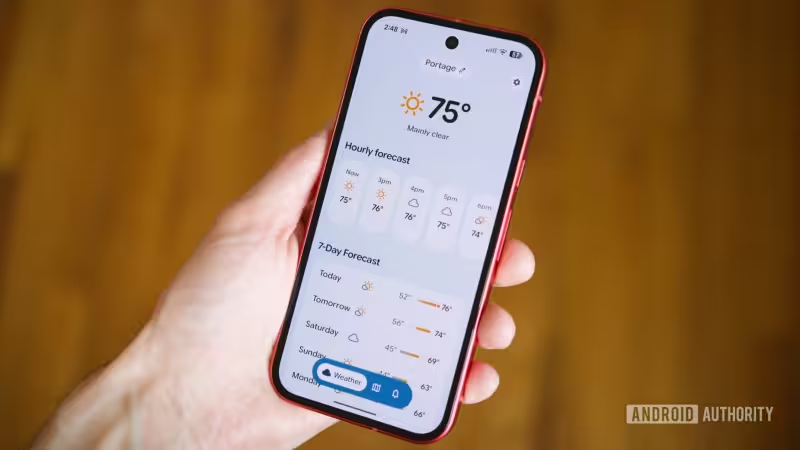
The difference starts with the basics. Gradient Weather relies on several weather sources, including public weather stations, and uses a built-in accuracy engine to build forecasts. Its hourly view shows a bar graph that makes the temperature creep up through the day feel immediate. Pixel Weather, by comparison, shows rising numbers without any visual element beside them.
Alerts are where the gap really opens. Gradient Weather shows the full weather alert inside the app, while Pixel Weather sends users out to a browser to read the details. Gradient also goes further with customizable notifications for every type of weather condition I tried, plus a note for tomorrow’s weather each evening, frost alerts for fall and winter, and rain warnings that can arrive 10, 15 or 20 minutes before precipitation is expected to begin.


The rest of the app keeps adding reasons to stay. Its sunrise and sunset widget shows how many hours and minutes of daylight remain, along with a more detailed graph of the sun’s path. It also shows the current and upcoming moon phase, includes a functioning compass on the wind widget, and offers a weather map with filters for temperature, cloud cover, wind speed and pressure. Pixel Weather’s map, by contrast, shows precipitation.
Gradient even lets users report real-time weather conditions in their area, including sunny, cloudy, rainbows and sunsets. That gives it a more lived-in feel than a forecast app that only speaks in numbers and icons. It is also the sort of feature that makes sense when the goal is not just to see what the sky might do, but to understand what it is doing right now.
The catch is that this all comes from a newcomer taking aim at a product from one of the biggest names in tech. Google has had a head start, and Pixel Weather is still tightly integrated with the phone it lives on. But in practice, Gradient Weather feels more complete, more immediate and more willing to let the user see the full picture instead of routing them elsewhere for it.
For now, that is enough to make the choice simple. Pixel Weather may still be the default on Pixel phones, but Gradient Weather reads like the better weather app.